

1997 yılında Bursa’da kurulan MARKA DESTEK, 29 yılı aşkın süredir internet ve bilişim dünyasında yenilikçi çözümler sunmaya devam etmektedir. Kuruluşumuzdan bu yana, dijital dünyanın hızla değişen dinamiklerine ayak uydurarak müşterilerimize güvenilir, yaratıcı ve sürdürülebilir hizmetler sağlıyoruz.
Ana faaliyet alanlarımız arasında web tasarımı, hosting ve sunucu çözümleri, e-posta servisleri, yazılım geliştirme, yapay zekâ tabanlı uygulamalar, grafik tasarım ve kurumsal kimlik çalışmaları yer almaktadır. Bugün itibarıyla Türkiye’nin dört bir yanındaki 350’den fazla marka ve firmaya hizmet vermekteyiz.
Bizi tercih eden müşterilerimiz yalnızca teknolojiye değil, aynı zamanda 7/24 kesintisiz destek ayrıcalığına da sahip olur. Hızlı erişim, kolay iletişim ve güvenilir teknik destek anlayışımızla, işinizi geleceğe taşımak için yanınızdayız.
Web Tasarım & Yazılım
Dünyanın tercih ettiği en güncel teknolojilerle modern, güvenilir ve interaktif web siteleri geliştiriyoruz.
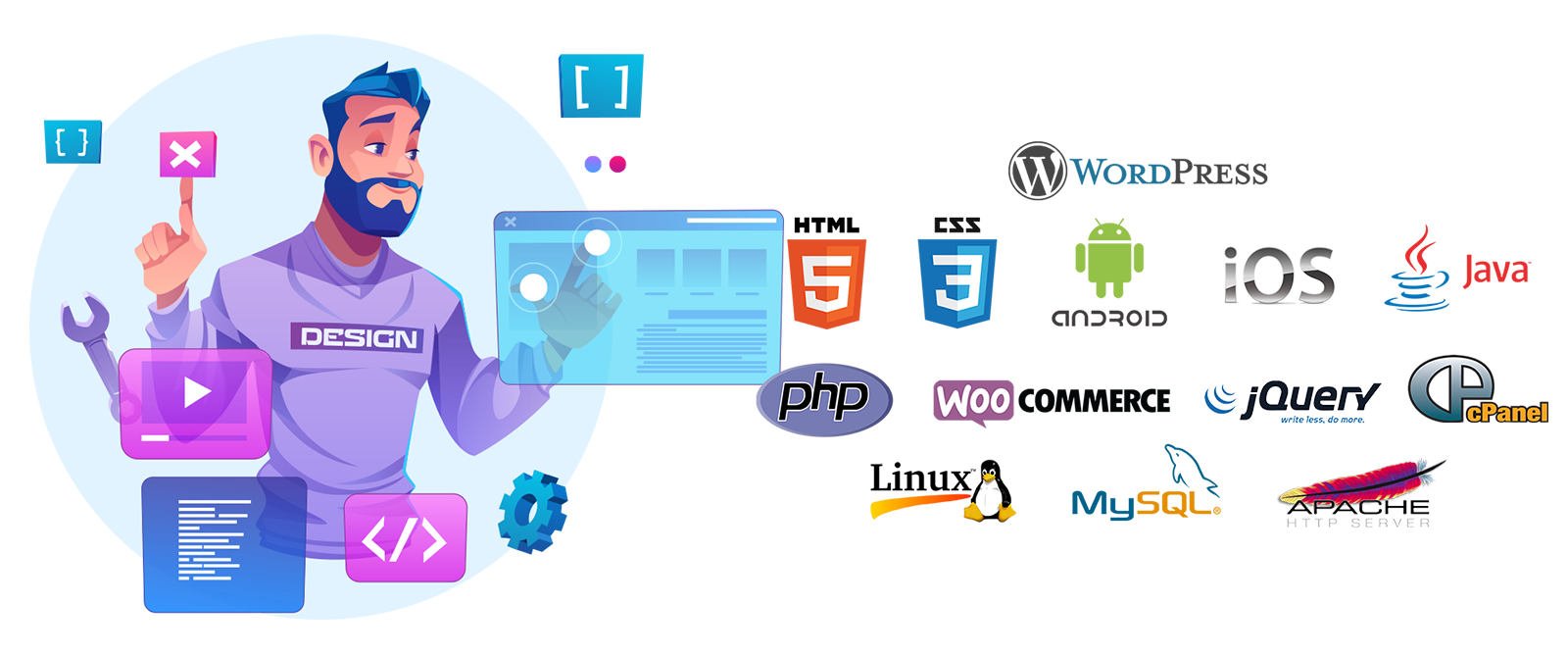
- WordPress & WooCommerce: Esnek, kullanıcı dostu ve ölçeklenebilir web sayfaları.
- HTML5 tabanlı çözümler: Görsel ve etkileşimli web sayfaları.
- Özel yazılım geliştirme: Python, Java ve PHP dilleriyle firmanızın ihtiyacına özel web uygulamaları.
Alan Adı & Hosting & E-mail
Web sitenizi güvenli, hızlı ve kesintisiz çalıştırıyoruz.
- Yurtdışı hosting sunucular: Özellikle Dünya Devi Hostinger firmasının Almanya Datacenter altyapısı kullanıyoruz ve yüksek performans elde ediyoruz.
- Hosting çözümleri: AlmaLinux, WHM Cpanel, DirectAdmin destekli dedicated ve VPS sanal sunucular.
- Alan adı tescili & e-posta servisleri: Godaddy ve Metu.nic altyapısından alan adı kurumsal çözümler.
App & Dapp Uygulamaları
Web 3.0 teknolojileri ile mobil ve masaüstü uygulamalarınızı hayata geçiriyoruz.
- Native ve cross-platform çözümler: Swift, Android Studio, Flutter, Golang.
- Blockchain tabanlı Dapp geliştirme: Geleceğin dijital altyapısına uyumlu çözümler.
- Mobil IOS ve Android APP:Multi platform PYTHON destekli Mobil APP çözümleri.
Grafik & Prodüksiyon Hizmetleri
Kurumsal kimliğinizi güçlendiren her türlü görsel çözümü üretiyoruz.
- 2D grafik & 3D modelleme
- Render & animasyon hizmetleri
- Görsel & medya üretimi: Fotoğraf yenileme, karakter oluşturma, 2D/3D animasyon, video ve seslendirme.
- Prodüksiyon çözümleri: Profesyonel fotoğraf, video ve drone çekimleri.
Markanız için tüm görsel materyaller MARKA DESTEK ile tek merkezden sağlanır. - Kullandığımız Teknolojiler Adobe Cloud , 3D Studio MAX
Yapay Zekâ Medya Çözümleri
Markanızın görsel ve teknolojik ihtiyaçlarına, en yeni yapay zekâ sistemleri ile destek sağlıyoruz.
- Görsel & medya üretimi: Fotoğraf yenileme, karakter oluşturma, 2D/3D animasyon, video ve seslendirme.
- Çeviri & dublaj: Ses ve videolar için çok dilli çözümler.
- Veri analizi & yazılım: Yapay zekâ tabanlı iş süreçleri optimizasyonu.
- Desteklediğimiz platformlar: Midjourney, Adobe, Flux, Freepik, HeyGen, Magnific, Luma Labs, Krea, OpenAI, Gemini, Nano Banana, Grok.
Yapay Zekâ Yazılım Çözümleri
- Veri Analizi ve Raporlama: Büyük veri kümelerinin analizi, iş süreçlerine uygun rapor üretimi
- Doğal Dil İşleme (NLP): Sohbet botları, metin analizleri, otomatik içerik üretimi
- Makine Öğrenmesi (ML): Tahminleme, sınıflandırma, kişiselleştirme çözümleri
- Bilgisayarla Görü (Computer Vision): Görsel tanıma, nesne tespiti, otomatik etiketleme
- Otomasyon: İş akışlarını hızlandıran AI destekli yazılım çözümleri
Yazılım İçin Kullandığımız Yapay Zekâ Platformları
OpenAI, Gemini, Qwen, Google AI Studio
Yazılım Dilleri & Teknolojiler
Yapay zekâ projelerimizde farklı ihtiyaçlara göre çok sayıda modern yazılım dili ve framework kullanıyoruz:
- Python: Veri bilimi, makine öğrenmesi, yapay zekâ modelleri
- Java & Kotlin: Büyük ölçekli uygulamalar, Android tabanlı AI çözümleri
- PHP & Node.js: Web tabanlı yapay zekâ entegrasyonları
- R & Julia: Veri analizi ve istatistiksel modelleme
- C++ & Rust: Yüksek performanslı yapay zekâ uygulamaları
- TensorFlow, PyTorch, Keras, Scikit-learn: Derin öğrenme ve makine öğrenmesi kütüphaneleri
Yapay Zekâ Danışmanlığı (kişisel/kurumsal)
Firmalara, yapay zekâ ve en son teknolojiler konusunda eğitim ve danışmanlık desteği sağlıyoruz.
- Şirket içi Yapay Zeka AI eğitimleri
- İş süreçlerine uygun teknoloji entegrasyonu
- Geleceğe hazırlayan danışmanlık hizmeti
- Kişisel veya Kurumsal Yapay Zeka ve Teknoloji Danışmanlığı

Web Tasarım ve Yazılım / Yapay Zeka / Hosting , Alan Adı ve Email / 2D-3D Grafik Tasarım Hizmeti / Fotoğraf Video Prodüksiyon
Konularında bize ulaşabilirsiniz.
MOBILE APP’S – WORDPRESS PLUGINS
InfoMon gives WordPress administrators a fast, at-a-glance view of the site’s technical environment. See key WordPress, PHP, database, and server details in a clean admin page and a compact dashboard widget. No configuration required.
FREEMIUM IPTV Xtream Media Player
The ultimate free Xtream media player for all your devices.
Enjoy seamless 4K & Full HD streaming on your mobile phone, tablet, television, or Windows PC. Featuring native Xtream API support for lightning-fast playback.
Available on Android Phones, Tablets & Android TV

Available Soon On
IOS and WINDOWS
NexGrid transforms your standard WordPress infrastructure into a professional product catalog in seconds. Designed for speed and SEO, it allows you to use your Posts as products and Categories as showcases without the complexity of heavy e-commerce frameworks. No configuration required.